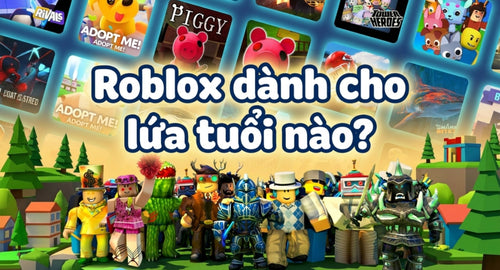
Every day, millions of children enter the world of Roblox to create and connect with friends. However, many parents still wonder: What age is Roblox for, and is this platform truly safe for my child's development?
This guide from Mykingdom clarifies the platform's age guidelines and shows you how to establish effective boundaries to protect your child.
Why Do Children Love Roblox So Much?
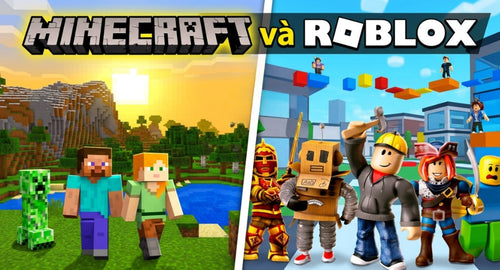
Roblox is not a single game, but rather an "online universe" hosting millions of community-designed games.
Featuring colorful blocks reminiscent of building toy bricks, it lets children roleplay, care for pets, build homes, or tackle fun obstacle courses with friends. This freedom powerfully sparks their imagination, making the virtual world highly attractive to young minds.

What Age Is Roblox For? The Latest 2026 Guidelines
According to the ESRB, Roblox is rated T (Teen - 13+) due to its open interactive features.
However, this rating applies to the platform as a whole. Since June 2026, Roblox has rolled out an automated content rating system that allows younger children to play safely:
| Age Group | Classification | Key Features |
|---|---|---|
| Ages 5 - 8 | Roblox Kids | Shows gentle, mild content only; chat functionality is completely disabled. |
| Ages 9 - 15 | Roblox Select | Displays moderate content; chat features are gradually unlocked under parental settings. |
| Ages 16+ | Standard | Full access to all platform features. |
Deciphering Content Labels for Parental Peace of Mind
To understand whether Roblox is safe for kids, parents should familiarize themselves with these four content rating levels:
-
Minimal: Contains no elements of violence or fear.
-
Mild: Low-level, cartoonish violence.
-
Moderate: Moderate violence or mild crude humor.
-
Restricted: Only accessible to accounts aged 18 and up that have verified their identity.

How to Set Up the Parental Controls "Shield"
Despite platform upgrades, online environments still present risks like strangers trying to reach out, children spending real money on Robux without permission, or accidentally coming across inappropriate content.
To protect your child, setting up Roblox Parental Controls and managing their account settings is highly essential:
-
Link Accounts: Go to Settings -> Parental Controls -> Add Parent Email to receive notifications regarding your child's in-game activities.
-
Restrict Interactions: Under the Privacy tab, configure the settings so that only friends can message them, or disable chat completely.
-
Verify Age: Use the facial scan feature under Account Info to automatically place your child in the correct developmental group (Roblox Kids or Select).
See also: How to Set Up Roblox Parental Controls and Tips to Help Your Child Manage Screen Time
Frequently Asked Questions About Roblox
Is Roblox suitable for a 6-year-old?
Yes, provided they use a "Roblox Kids" account under parental supervision.
Does playing Roblox cost real money?
It can, if your child purchases Robux. Parents should establish spending limits under the Billing section of the account settings.
Can I block strangers entirely?
Yes. Simply change the Privacy settings to "No one" or "Friends only."

Balancing the Virtual and Real Worlds with Mykingdom
Rather than restricting play completely, parents can gently guide their children's interests toward engaging, physical activities. Gifting authentic Roblox toys from Mykingdom is an excellent way to encourage children to take screen breaks while offering a meaningful reward:
Healthy Collecting: Physical toys like Grow A Garden, Steal A Brainrot, or soft Fisch plushies satisfy their desire to collect. Each authentic toy set includes an exclusive DLC code, allowing children to unlock virtual items in-game legitimately instead of spending real money on Robux.

Developing Thinking Skills: Instead of passive screen time, encourage your child to build LEGO sets, play with SIKU toy vehicles, or enjoy family board games. These activities refine fine motor skills and nurture family bonding.

Understanding what age Roblox is for and proactively setting up safety boundaries is the best way for parents to gently guide their children in the digital space. Let the virtual world be a canvas for their imagination, while the physical world remains a tactile place of joy.
Visit Mykingdom in-store or online today to explore our authentic Roblox toys. Not only do they come with adorable toy companions and high-value DLC codes, but they also mark the start of a safe, balanced, and joyful childhood journey.
Read more:
Is Roblox Safe? What Every Parent Needs to Know
How Long Should Kids Play Roblox? How to Limit Roblox Screen Time